How to Turn a Drawing Into a Coloring Page
Quick answer
To turn a drawing into a coloring page, convert it to clean black-and-white line art by outlining the main shapes and removing shading and color. Do it by hand with a fine pen over the original, or digitally with a photo editor or a “line art” filter. Finish by cleaning up stray marks and printing it on plain paper.
By the TheColoringPages.net team. Reviewed for accuracy, September 2026.
This guide to Drawing Into Coloring Page gives clear, practical answers, drawing on line art and years of hands on coloring.
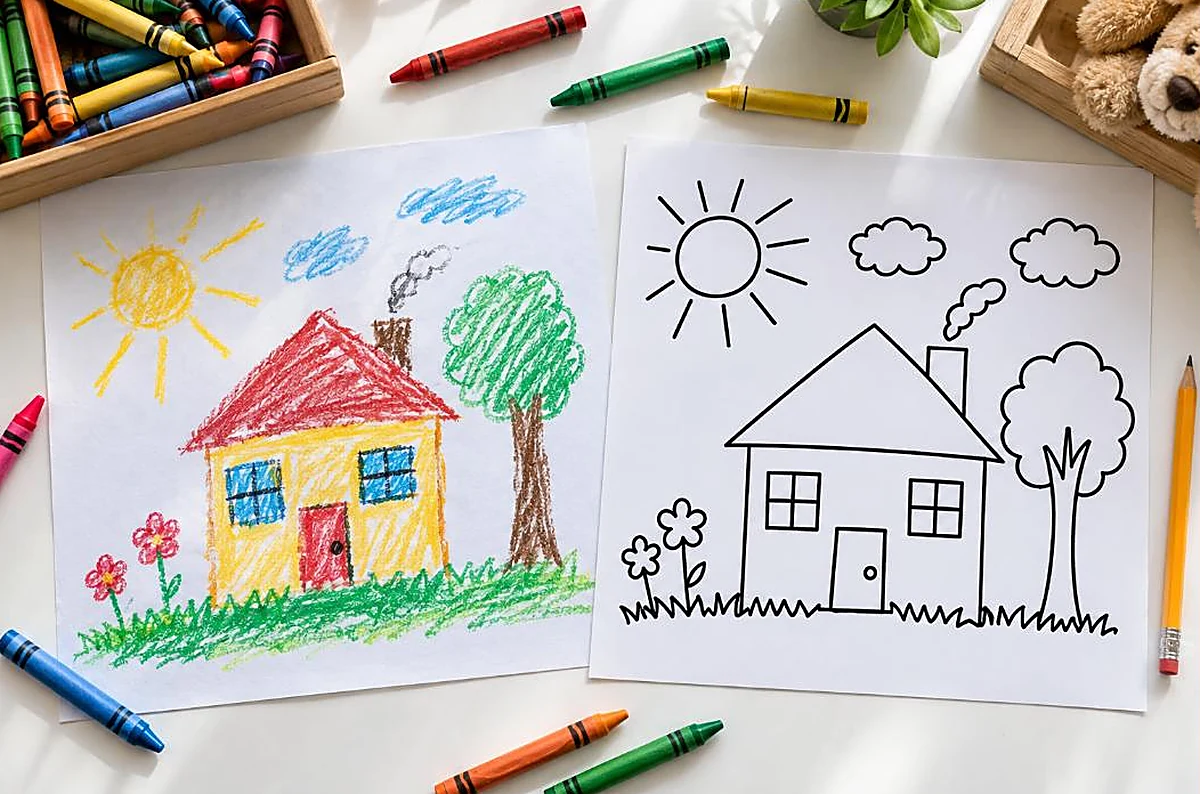
Have a drawing you would love to color, or share for others to color? Turning a drawing into a coloring page is a rewarding, creative project. Whether it is your own artwork, a child’s drawing, or a design you have made, you can convert it into clean line art ready to color, by hand or with simple digital tools. This guide walks through the methods.
Quick answer: To turn a drawing into a coloring page, ink the outlines cleanly, erase pencil marks, then scan or photograph it and boost the contrast so only the black lines remain. Or redraw it digitally as clean line art. The result is a coloring page others can print and color. Clean, closed outlines make the best coloring page.

Start with clean outlines
The foundation of turning a drawing into a coloring page is clean outlines.
A coloring page needs clean, clear line art, so the drawing must have defined outlines that enclose the areas to color. If your drawing already has clean outlines, you are well on your way. If it is rough, sketchy, or shaded, you will need to clean it up into defined outlines first. The goal is a picture made of clear lines, with white spaces to color, as our guide on what line art is covers.
Aim for closed outlines, where the lines fully enclose each area, so there are distinct spaces to color. Open or broken outlines make a poor coloring page, since color escapes and areas are undefined. As you prepare your drawing, ensure the important outlines connect and enclose their areas. This is what makes a coloring page pleasant to color.
Keep the detail suitable for coloring, with areas large enough to color comfortably, matched to the intended age. Simplify overly complex or tiny details that would frustrate coloring, unless intended for detailed adult coloring. Starting with, or preparing, clean, closed, suitably detailed outlines sets you up to make a good coloring page from your drawing. From here, the methods below turn your outlined drawing into a printable coloring page. Our guide on what makes good line art covers the goal.
Ink and erase
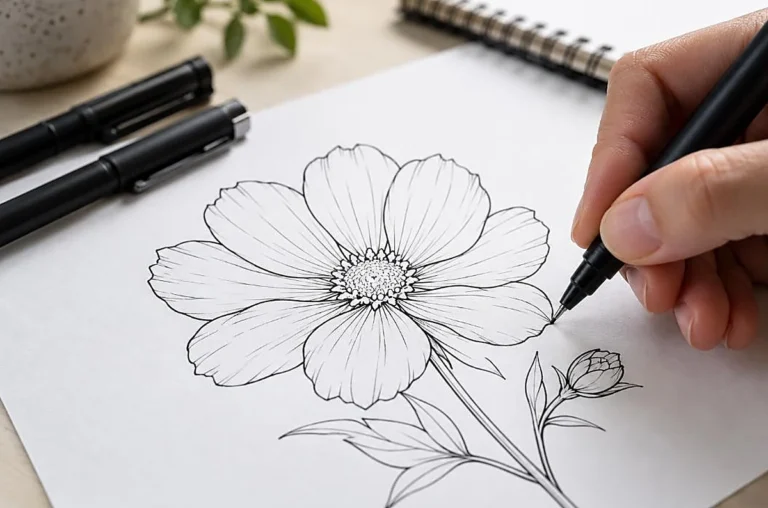
The traditional method of turning a drawing into a coloring page is to ink the outlines and erase the pencil.
If your drawing is in pencil, go over the outlines you want to keep with black ink, using a fine pen or marker, to create clean, bold lines. Ink the defining outlines clearly, making sure they connect and enclose the areas. This creates the crisp black line art a coloring page needs, over your pencil drawing. Take care to ink only the outlines you want in the final coloring page.
Once the ink is dry, erase all the pencil marks, leaving only the black inked outlines. This removes the rough pencil work and any lines you did not ink, leaving clean line art. Use a good eraser and erase gently to avoid smudging the ink. The result is your drawing as clean, black outline line art, ready to become a coloring page. This ink and erase method is simple and effective for hand drawn work.
This traditional method suits hand drawn drawings and those who prefer working on paper. It turns a pencil drawing into clean line art with basic materials, a pen and an eraser. Once you have the inked, erased line art, you can scan or photograph it to digitize it, as covered next, or simply photocopy it to make coloring pages. Inking and erasing is a reliable way to turn a drawing into a coloring page by hand. Our collection of free printable coloring pages shows the clean line art style to aim for.
Scan or photograph
To make your drawing into a printable, shareable coloring page, scan or photograph it.
Scanning gives the best result. Place your inked, erased line art on a scanner and scan it at a good resolution, producing a clean digital copy of your line art. A scanner captures the lines clearly and evenly, giving a high quality digital coloring page. If you have access to a scanner, this is the preferred way to digitize your drawing. The scanned file can then be printed or shared.
Photographing works too if you have no scanner. Take a clear, well lit photo of your line art, straight on and evenly lit to avoid shadows and distortion. A good phone camera can capture line art well in good light. The photo may need more adjustment than a scan, but it digitizes your drawing without a scanner. Ensure the whole drawing is in frame, flat, and evenly lit for the best result.
Whether scanned or photographed, digitizing your line art turns your physical drawing into a digital coloring page you can print, share, or edit. This lets you print multiple copies, share the page for others to color, or adjust it digitally. Digitizing is the step that turns your hand drawn line art into a usable, shareable coloring page. Next, adjusting the contrast cleans it up into pure line art. Our guide on how to print coloring pages at home covers printing the result.

Boost contrast to pure line art
After scanning or photographing, boosting the contrast cleans your drawing into pure black and white line art.
A scan or photo of line art often has a slightly gray background, faint smudges, or uneven lines. Boosting the contrast, in any photo editor, makes the lines pure black and the background pure white, giving clean line art. Adjusting the brightness, contrast, or levels, or using a black and white threshold, removes the gray and leaves crisp black lines on white. This is the key step to a clean digital coloring page.
Use the levels or threshold adjustment for the best result. A threshold turns everything above a certain brightness white and below it black, giving pure black and white line art in one step. Adjust the threshold until the lines are solid black and the background clean white, with no gray or smudges. This produces the clean, high contrast line art a good coloring page needs. Free editors like GIMP offer these tools.
You can also clean up any remaining stray marks or gaps at this stage, erasing smudges and closing broken outlines. This final tidying gives a clean, professional coloring page from your drawing. Boosting the contrast and cleaning up turns your scanned or photographed drawing into pure, printable line art. Your drawing is now a proper coloring page, ready to print and color. Our guide on making a coloring page from a photo covers similar editing steps.
Digital option: tracing
If you prefer to work digitally, you can turn a drawing into a coloring page by tracing it.
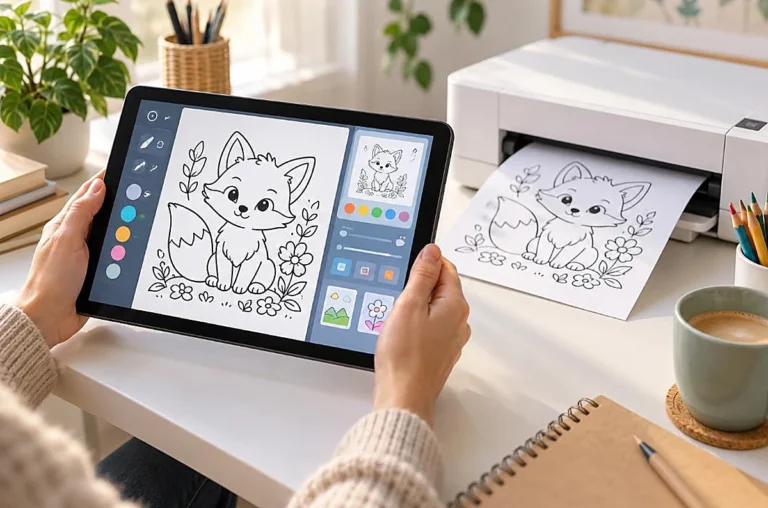
Tracing digitally means redrawing your drawing’s outlines as clean line art in a drawing program, using a mouse, graphics tablet, or tablet with a stylus. You import your drawing as a reference, then draw clean, deliberate lines over it, creating fresh, crisp line art. This gives full control over the final line art, letting you refine and perfect the outlines. It suits those comfortable with digital drawing.
Tracing produces the cleanest possible line art, since you draw each line deliberately, ensuring closed outlines and suitable detail. You can adjust as you go, simplifying complex areas and perfecting the outlines. The result is professional quality line art, ideal for a coloring page. This method takes more skill and time than scanning and adjusting, but gives the best control and result. Free drawing software makes it accessible.
Digital tracing suits people who want the highest quality result or who prefer working digitally. It is more involved than the ink and scan method, but produces superior, fully controlled line art. Whether you scan and adjust or trace digitally, the goal is the same, clean line art from your drawing. Choose the method that suits your skills and the result you want. Both turn your drawing into a coloring page. Our guide on what makes good line art covers the quality to aim for.

Print and share
Once your drawing is clean line art, printing and sharing complete the project.
Print your coloring page like any other, with scaling set to fit the page and suitable paper. Your drawing, now a coloring page, is ready to color. You can print multiple copies, so several people can color your design, or so a child can color it again. Printing your own drawing as a coloring page is satisfying, turning your artwork into a colorable page. Our guide on how to print coloring pages at home covers printing.
You can also share your coloring page for others to color. Sending the digital file, or giving printed copies, lets friends, family, or others color your design. A child might share their drawing turned coloring page with friends, or an artist might share their line art for others to color. Sharing your coloring page spreads the enjoyment of your design. This is especially rewarding for original artwork.
Turning drawings into coloring pages opens up creative possibilities: coloring your own art, sharing designs, making pages from children’s drawings, or building a personal coloring book of your creations. The ability to convert any drawing into a coloring page lets you and others enjoy coloring your original designs. With the methods in this guide, anyone can turn a drawing into a coloring page. It is a rewarding way to share and enjoy artwork, turning a drawing that might otherwise sit in a sketchbook into a page people can bring to life with color. Our collection of free printable coloring pages offers ready made pages alongside your creations.
Frequently asked questions about drawing into coloring page
How do I turn a drawing into a coloring page?
Ink the outlines cleanly, erase the pencil marks, then scan or photograph the line art and boost the contrast so only black lines remain. Or trace the drawing digitally as clean line art. The result is a printable coloring page from your drawing.
Can I turn my child’s drawing into a coloring page?
Yes. Clean up the drawing’s outlines, ink them if needed, then scan or photograph it and boost the contrast into clean line art. This turns a child’s drawing into a coloring page they, or others, can print and color, making a lovely keepsake.
What makes a good coloring page from a drawing?
Clean, closed outlines that enclose each area, suitable detail for the intended age, and bold, clear black lines make a good coloring page. Prepare the drawing into clear line art with defined areas, and boost the contrast for crisp black and white.
Do I need special software to turn a drawing into a coloring page?
No. You can ink and erase by hand, then photocopy or scan and adjust with a free editor. Digital tracing needs drawing software, but free options exist. Basic methods need only a pen, eraser, and a way to scan or photograph and adjust contrast.
How do I clean up a scanned drawing into line art?
Boost the contrast in a photo editor, using levels or a black and white threshold, to make the lines pure black and the background pure white. Erase any stray marks and close broken outlines. This turns a scan into clean, printable line art.
The takeaway on drawing into coloring page
Turning a drawing into a coloring page is a rewarding creative project. Ink the outlines cleanly and erase the pencil, then scan or photograph the line art and boost the contrast into pure black and white. Or trace the drawing digitally for the cleanest result. Aim for clean, closed outlines and suitable detail throughout. Once your drawing is clean line art, print and share it for coloring. This lets you and others enjoy coloring your original designs, whether your own artwork, a child’s drawing, or a shared creation.
Ready to color, your creations or ours? Browse our free printable coloring pages across countless subjects. Every one is free to download and print.